As discussed in the macOS Security Primer, AppleScript and JXA are powerful automation tools that can be weaponized by attackers. Understanding how these techniques appear in your security logs is critical for detection engineering.
LOAS tests can be executed using five different methods, each creating distinct forensic artifacts and detection opportunities:
- CLI (
osascript -e) - Direct command-line execution - Script files (
.scpt) - Pre-saved AppleScript files - Swift wrappers (
.swift) - AppleScript embedded in Swift - Applet (
.app) - Packaged as macOS applet bundles - Compiled binaries - Standalone executables
These execution methods are documented in detail in the Red Canary Threat Detection Report. This documentation builds upon and expands their work.
Each method creates different traces in your security logs like different parent-child process relationships, file system events, and security audit logs. Understanding these variations is critical for building comprehensive detection rules.
The GitHub releases page provides all of these different files for each test.
If you would like to compile the files yourself, install uv and then use the following commands:
git clone https://github.com/cyberbuff/loas.gitcd loasuv syncuv run main.py buildEach of these methods generates a different set of logs based on the execution tool.
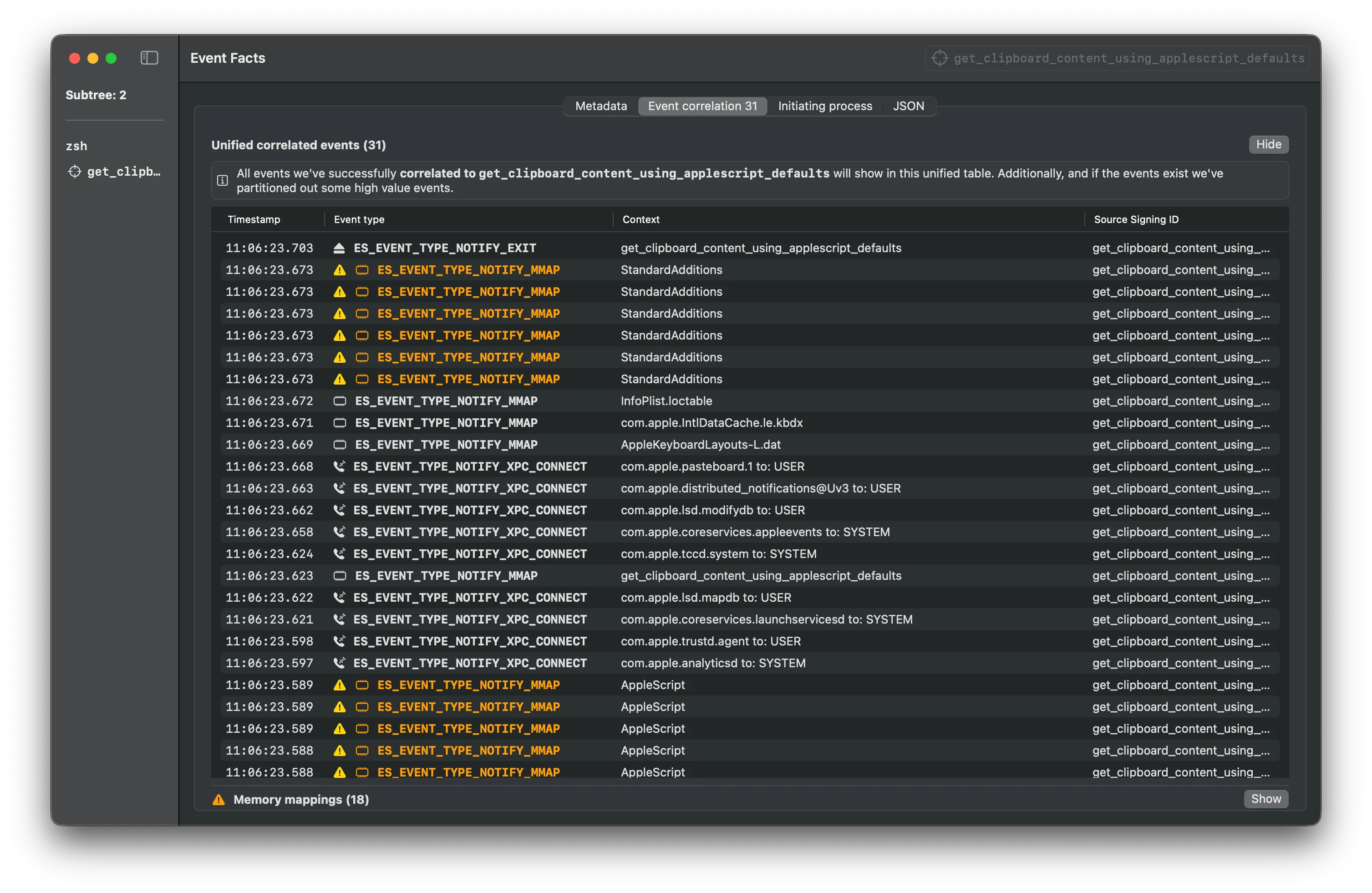
The sample Endpoint Security logs below were gathered using Mac Monitor for each execution method when retrieving clipboard content.
CLI
This is the simplest way to execute commands from this repository.
osascript -e "the clipboard"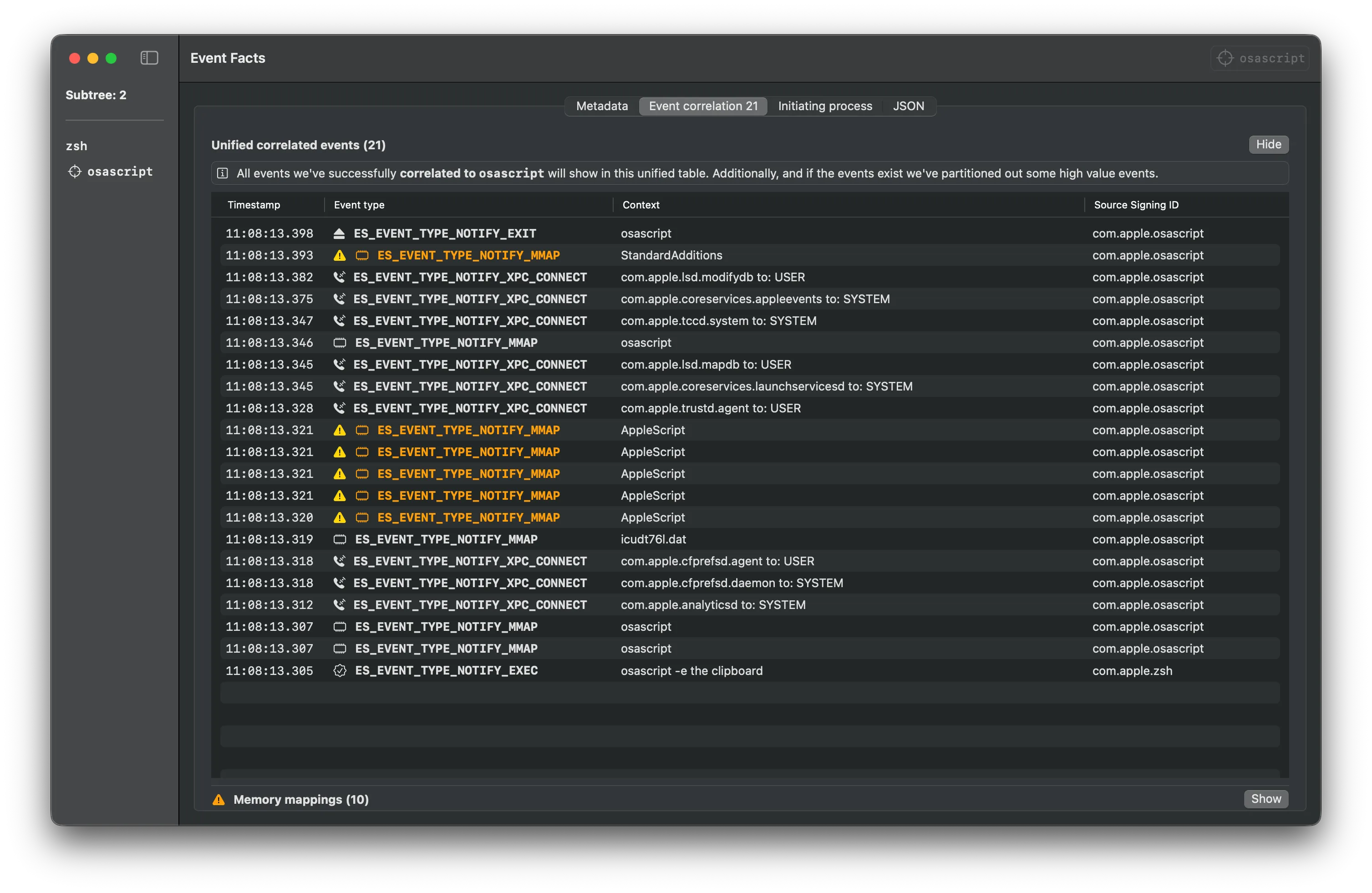
Script
Download the script from the releases page and execute it with osascript.
osascript get_clipboard_content_using_applescript_defaults.scpt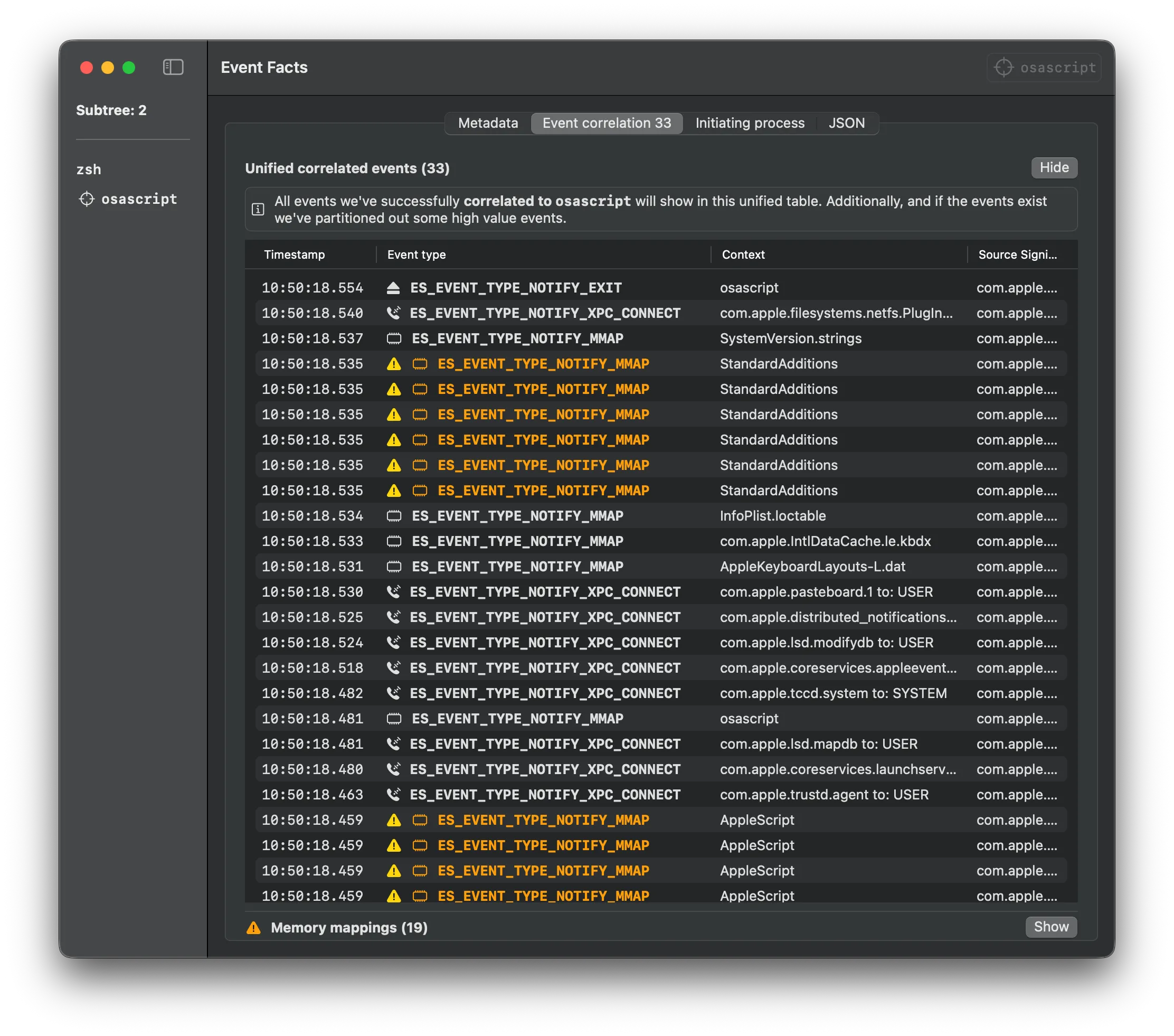
Swift
Download the Swift file from the releases page and execute it with Swift.
Note: You might need to install Xcode Developer Tools to run Swift files.
swift get_clipboard_content_using_applescript_defaults.swift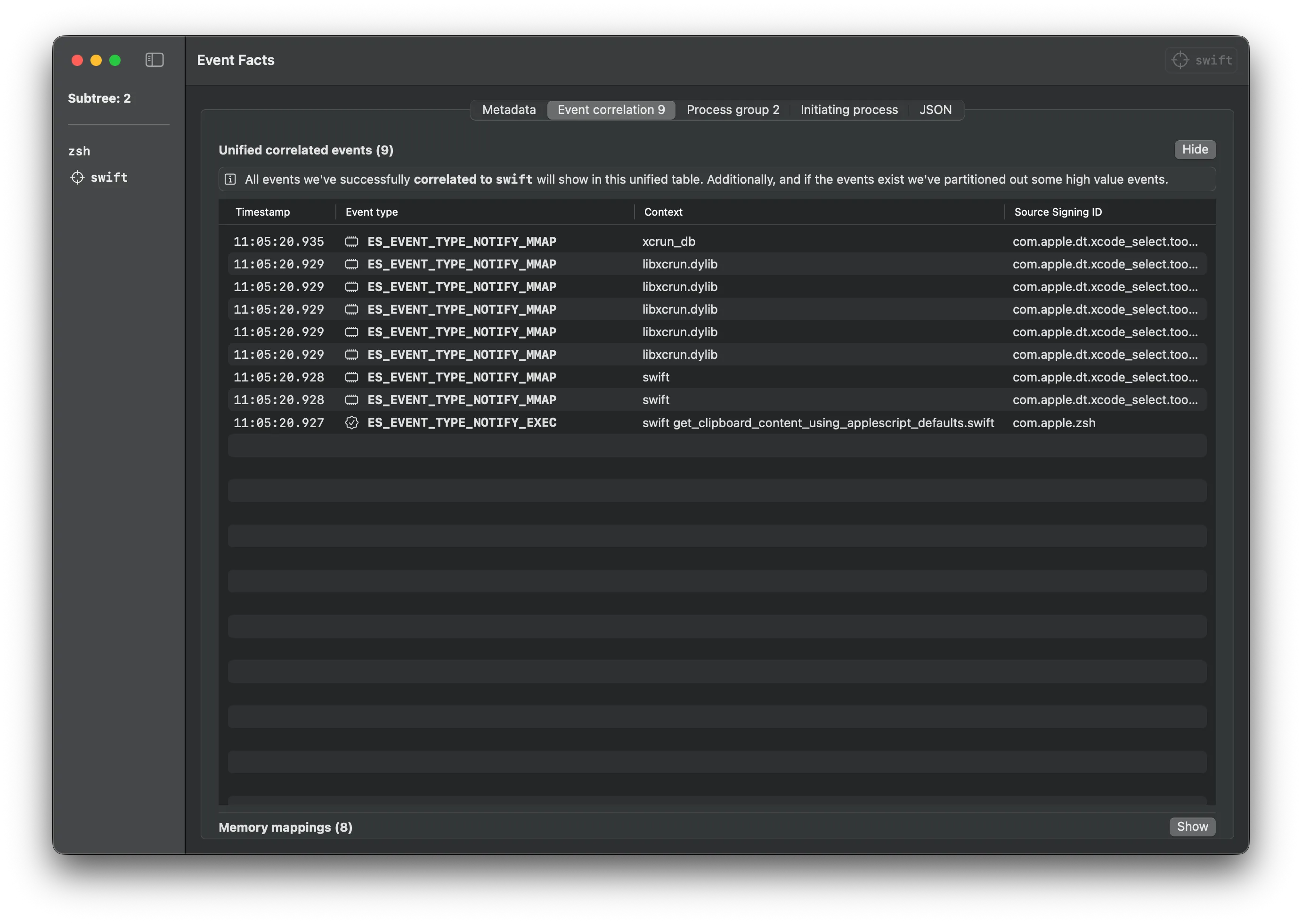
Applet
Download the .app file from the releases page and execute it.
open -n get_clipboard_content_using_applescript_defaults.app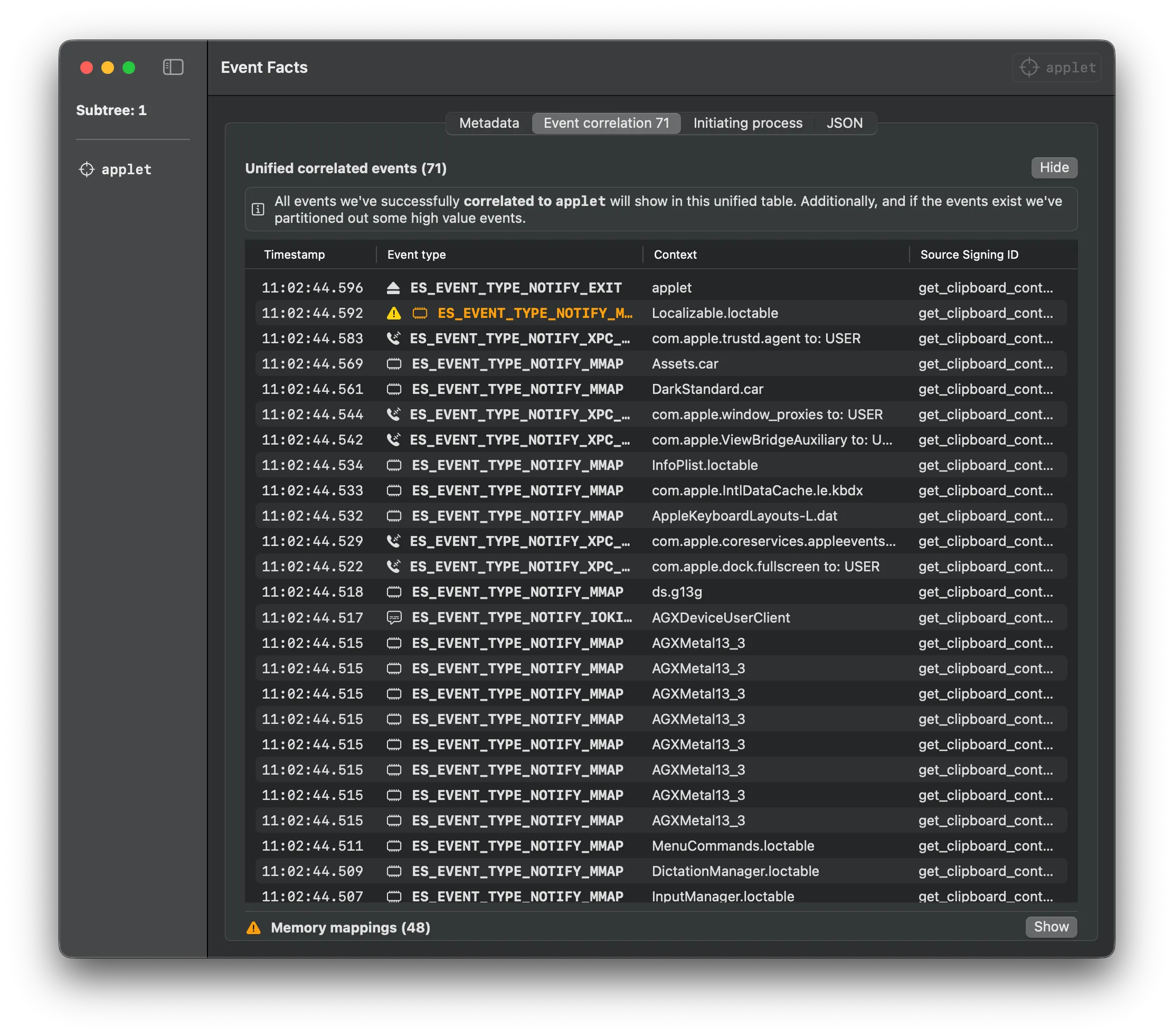
Binary
Download the binary from the releases page and execute it.
./get_clipboard_content_using_applescript_defaults